---
title: Invite and onboard new clients
description: Add new investors
---
[Skip to content](https://support.aetrust.com/invite-and-onboard-new-clients#main-content)
English
Show submenu for translations
[More support](https://support.aetrust.com/kb-tickets/new?hsLang=en) [Customer portal](https://cs.aetrust.com/tickets-view?hsLang=en)
[](https://support.aetrust.com/?hsLang=en)
Open main navigation
Close main navigation
- English
Show submenu for translations
- [More support](https://support.aetrust.com/kb-tickets/new)
- [Customer portal](https://cs.aetrust.com/tickets-view)
- [Contact us](https://aetrust.com/contact)
[Contact us](https://aetrust.com/contact)
How can we help you?
- There are no suggestions because the search field is empty.
1. [Help Center](https://support.aetrust.com/?hsLang=en)
2. [Business Portal](https://support.aetrust.com/business-portal?hsLang=en)
3. [Getting started](https://support.aetrust.com/business-portal?hsLang=en#getting-started)
# Invite and onboard new clients
You Account Manager, should have have been shared with you the link you can use to onboard new client. It should look something like this:
***https://account.aetrust.com/auth/login?repId=00000***
If you don't have that link, please reach out to [success@aetrust.com](mailto:success@aetrust.com) and we will give you a new link.
You can send your Clients this link, and after they click it, it will walk them through providing all the information necessary.
Watch the video above, as it will show you step by step what your client will see during onboarding.
*Client only only need to open their first account using this form, any additional account can be opened through the portal.*
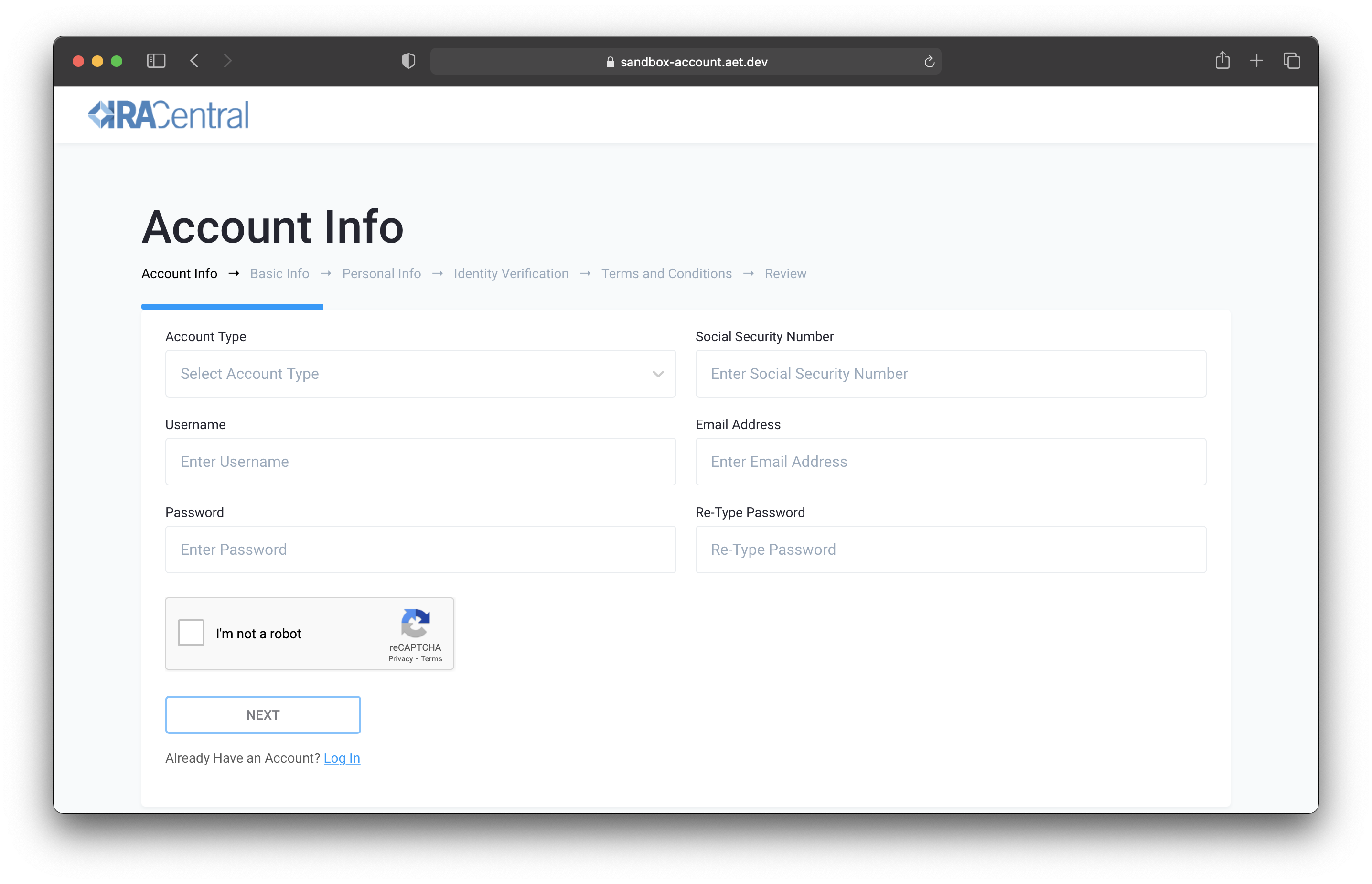
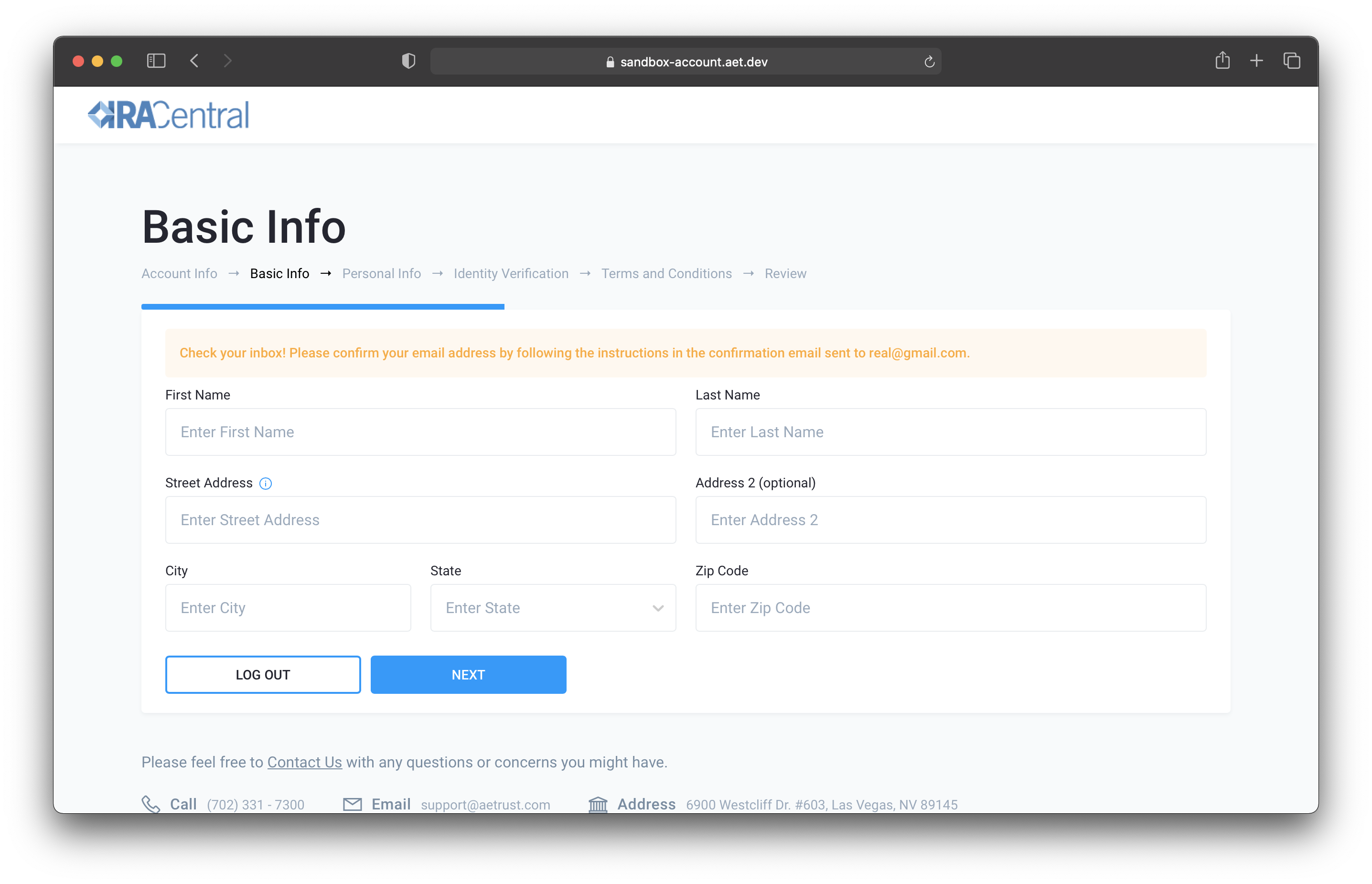
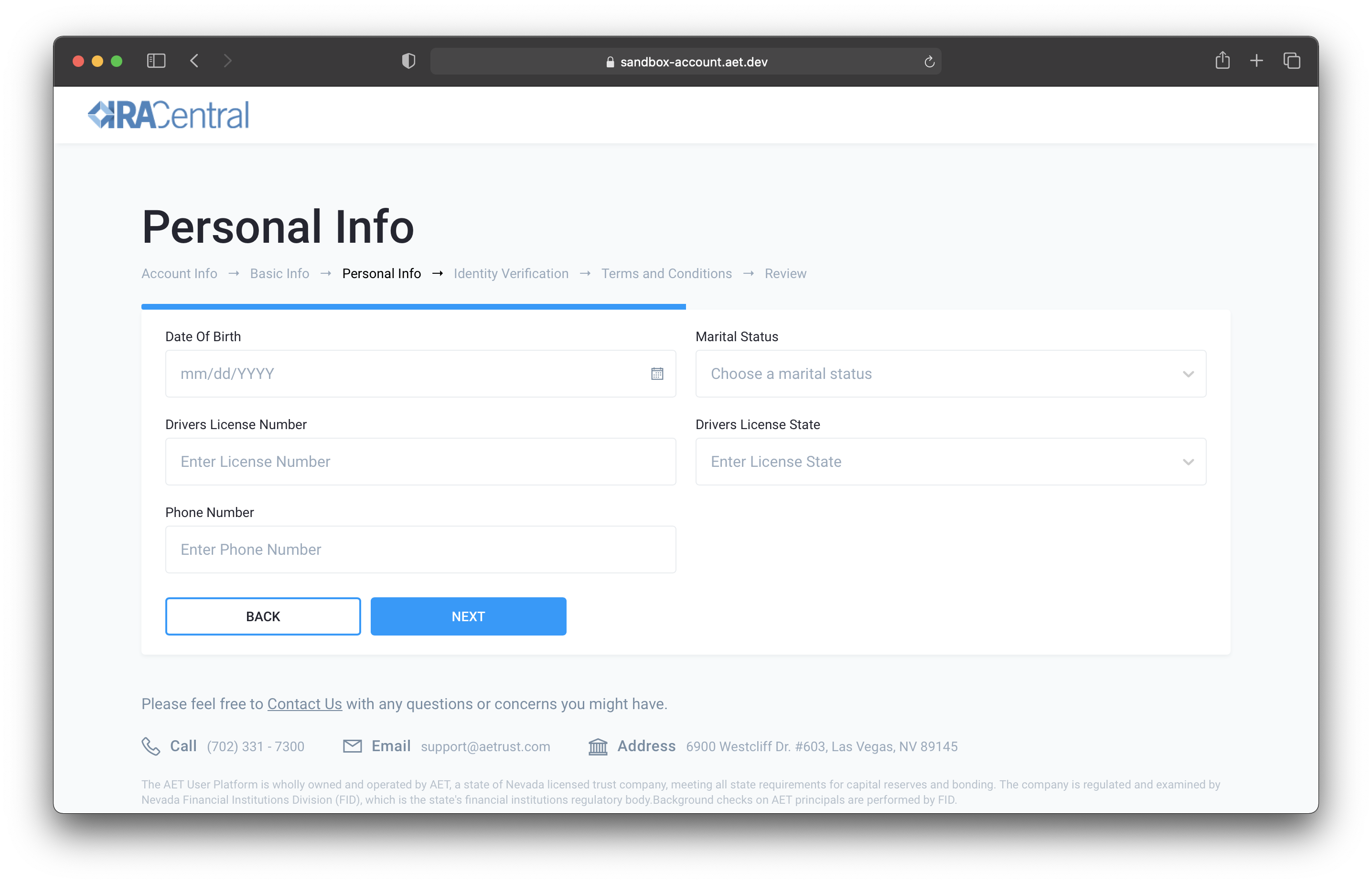
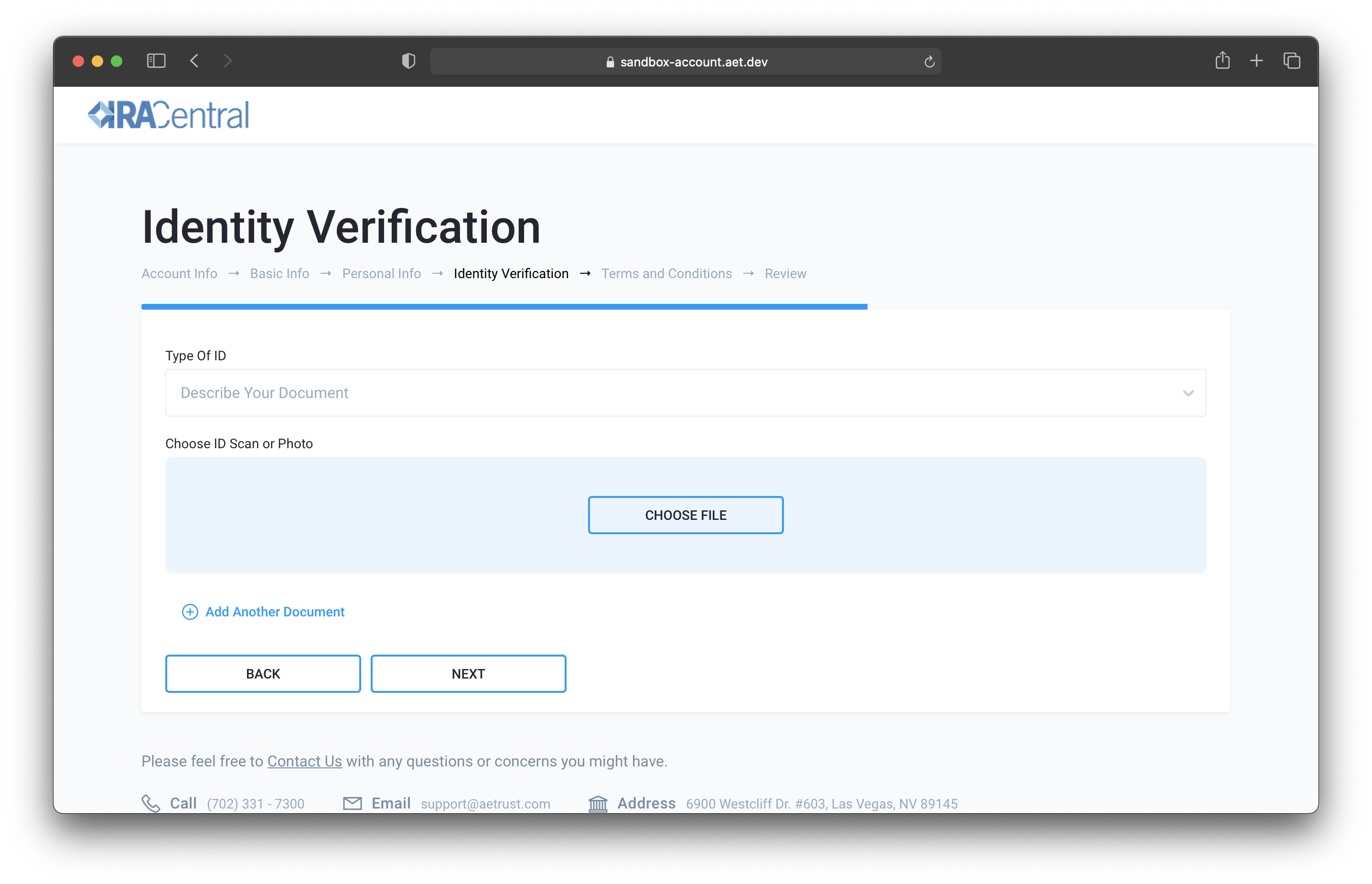
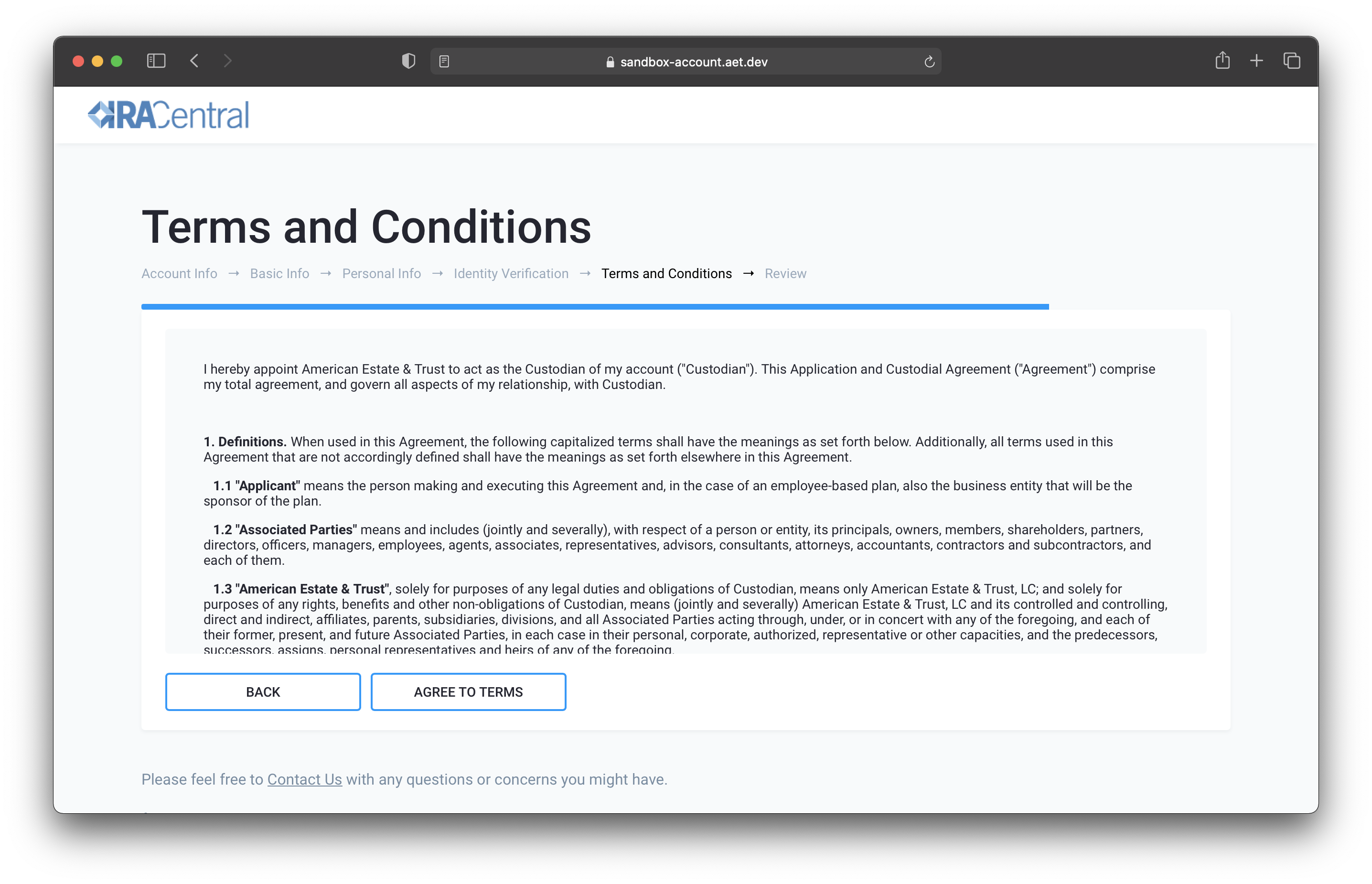
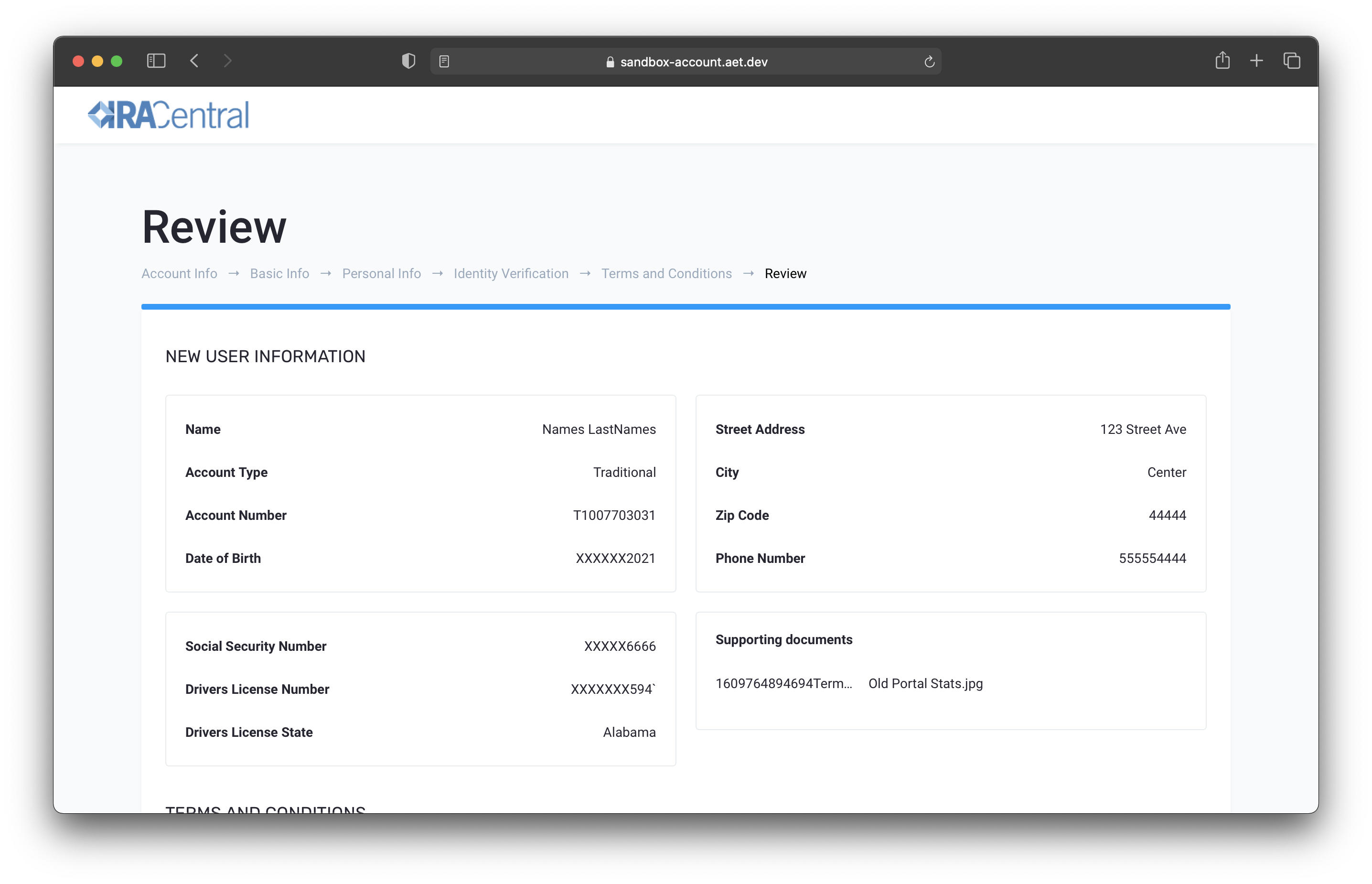
Here is a list of information that a new client will have to provide:
1. Account type
2. SSN
3. Username
4. Valid email address
5. Password
6. Contact information
7. DOB
8. Marital status
9. Driver's license info
10. Photo id
### Form Screen 1 - Account Info
### Form Screen 2 - Contact Information
### Form Screen 3 - Id Information
### Form Screen 4 - Photo Id
### Form Screen 5 - Terms & Conditions
### Form Screen 6 - Review
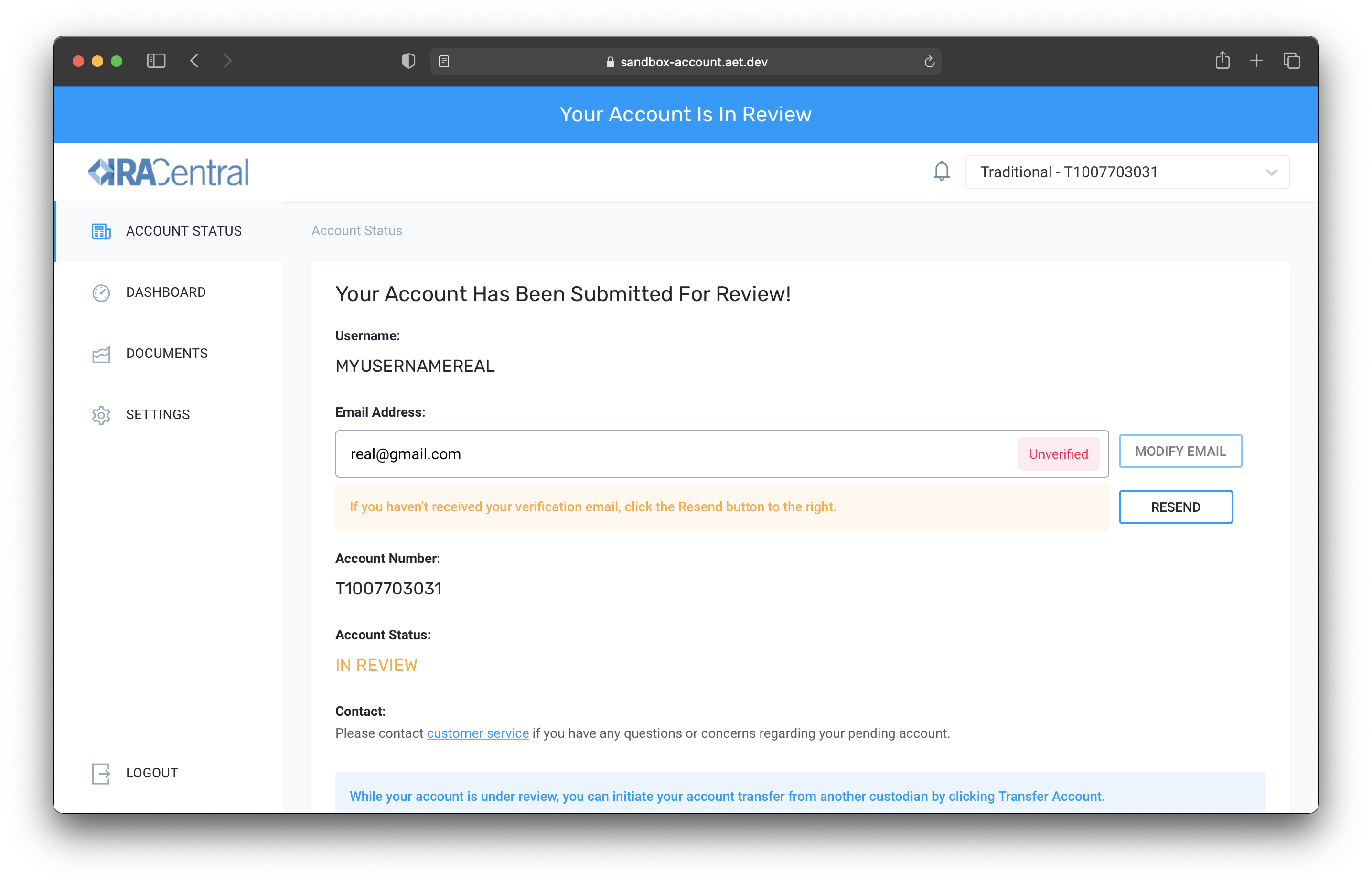
### Form Screen 7 - Account Pending
- [Investor Portal](https://support.aetrust.com/investor-portal?hsLang=en#main-content)
- [Online Portal](https://support.aetrust.com/investor-portal?hsLang=en#online-portal)
- [Transfer-ins and Rollovers](https://support.aetrust.com/investor-portal?hsLang=en#transfer-ins-and-rollovers)
- [General Account Questions](https://support.aetrust.com/investor-portal?hsLang=en#general-account-questions)
- [Tax Reporting and Compliance](https://support.aetrust.com/investor-portal?hsLang=en#tax-reporting-and-compliance)
- [Signing Request](https://support.aetrust.com/investor-portal?hsLang=en#signing-request)
- [Bill Pay](https://support.aetrust.com/investor-portal?hsLang=en#bill-pay)
- [Prohibited Transactions and Compliance](https://support.aetrust.com/investor-portal?hsLang=en#prohibited-transactions-and-compliance)
- [Fees and Payments](https://support.aetrust.com/investor-portal?hsLang=en#fees-and-payments)
- [Investment Questions](https://support.aetrust.com/investor-portal?hsLang=en#investment-questions)
- [Account Closure and Transfer-out](https://support.aetrust.com/investor-portal?hsLang=en#account-closure-and-transfer-out)
- [Assets](https://support.aetrust.com/investor-portal?hsLang=en#assets)
- [Business Portal](https://support.aetrust.com/business-portal?hsLang=en#main-content)
- [Getting started](https://support.aetrust.com/business-portal?hsLang=en#getting-started)
- [FAQ](https://support.aetrust.com/business-portal?hsLang=en#faq)
- [Training](https://support.aetrust.com/business-portal?hsLang=en#training)
- [Investments](https://support.aetrust.com/business-portal?hsLang=en#investments)
- [Account Management](https://support.aetrust.com/business-portal?hsLang=en#account-management)
- [Transactions](https://support.aetrust.com/business-portal?hsLang=en#transactions)
[](https://aetrust.com)
[mailto:support@aetrust.com](mailto:support@aetrust.com)
Copyright © 2025, American Estate & Trust